August 15, 2026 · Three.js
How I Learned Three.js by Building a Village Portfolio
A technical case study in learning Three.js through a navigable portfolio village - and building the systems needed to keep a real-time web experience understandable, performant, and testable.
I did not learn Three.js by making a spinning cube and moving on. I learned it by trying to build a portfolio that people could walk through.
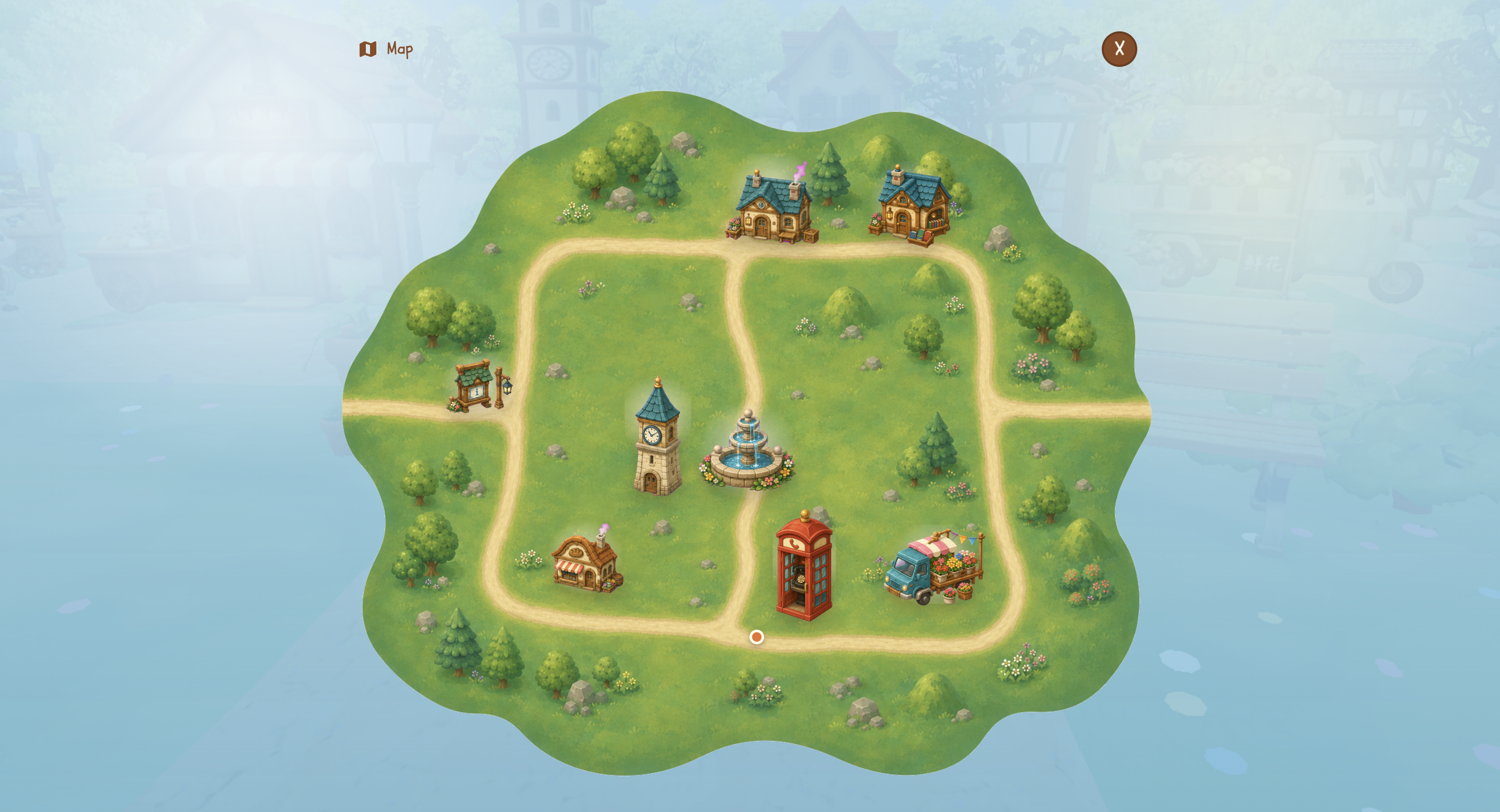
The result is a small 3D village built with React, TypeScript, Vite, React Three Fiber, and Three.js. It began as a black block moving along a road and grew into a world with a character, buildings, a map, interiors, day and night, cinematic travel, and tooling for inspecting what the renderer is doing. You can explore the current project at 3d.sakshikale.com.
Each addition forced me to learn a different part of 3D work: how a Canvas differs from a DOM layout, how positions and collision work in world space, how a camera changes the meaning of movement, and how quickly rendering and browser constraints become part of the product.
A Canvas Requires Different Thinking From the DOM
In a conventional portfolio, layout is mostly a document problem. Elements flow, CSS places them, and a link takes a visitor to a section. A Three.js portfolio starts with a different question: where does something exist in a world?
The Canvas does not give me a page layout. It gives me a scene graph, a camera, a renderer, lights, meshes, and coordinates. In the project, the world is described in scene configuration: bounds, ground, roads, buildings, props, player settings, and the default camera offset. React Three Fiber lets me compose those pieces as React components, but the work inside the Canvas is still 3D work. A building needs a position, scale, rotation, collider, material, and relationship to the camera—not just a CSS class.
That was my first major lesson: React made the scene easier to organise, but it did not remove the need to understand Three.js concepts. I had to think about world space, the X/Z ground plane, the Y axis as height, asset loading, the render loop, and the difference between changing interface state and changing a real-time scene.
A Linear Road Made the First Problems Visible
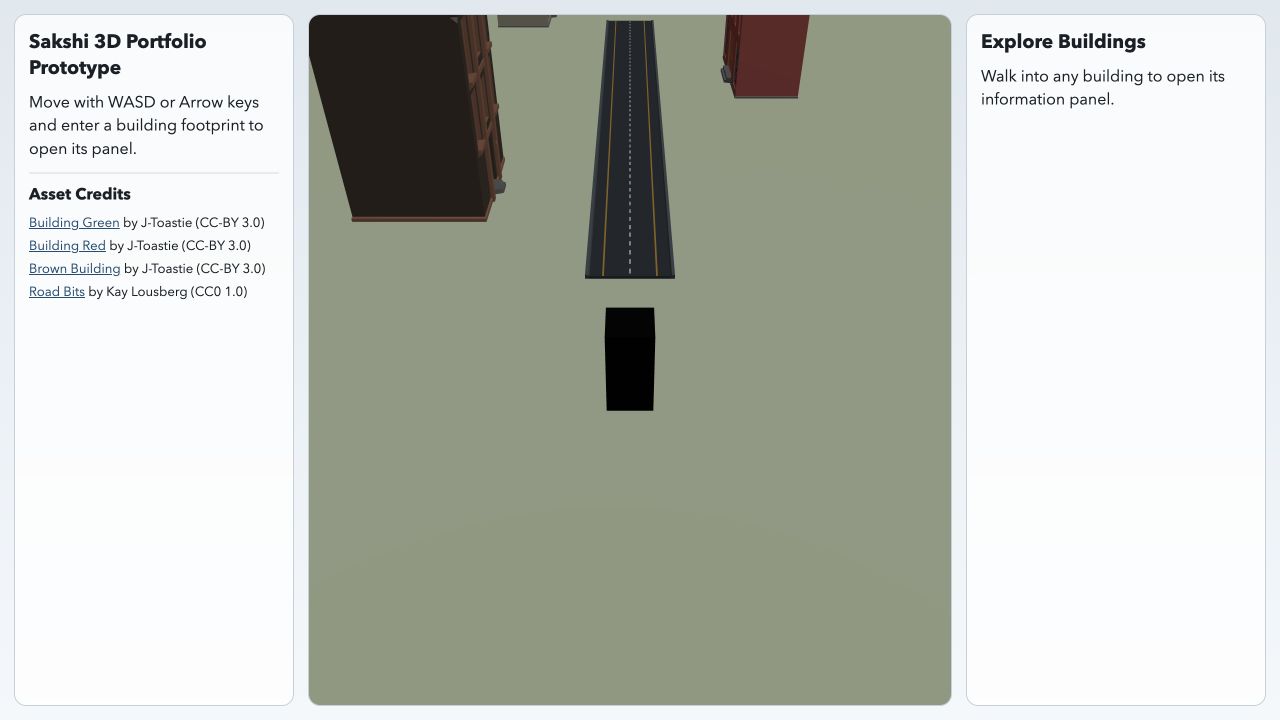
The first playable version was intentionally small: a narrow road, a black rectangular player, three destinations, keyboard input, and a following camera. The road was not visually impressive, but it was a useful test environment because it made spatial mistakes obvious.
Most movement happened along a visible direction. If the player drifted sideways, it looked wrong immediately. If a building trigger fired too early, there were only a few possible causes to inspect. If the camera lagged behind the player, there was no scenery to hide the mismatch. That simple scene taught me more about the relationship between input, movement, camera framing, proximity, and UI entry than a more decorative first version would have.
The interaction model was also deliberately physical. Reaching a building could surface an action; choosing Enter could open its content; closing the content returned the player to the same world state. Movement, arrival, entry, and return are separate product states. Treating them as one vague “go to a section” interaction would have made the system much harder to reason about later.
Player Movement Is a World-Space System
I did not use a physics engine. Instead, I built explicit movement and collision rules for the kind of world this portfolio needs.
The player is treated as a circle on the X/Z plane. Buildings and props are treated as rotated rectangular footprints. Every frame, the locomotion loop consumes the latest normalised input, scales it by movement speed and frame delta, tries the requested move against colliders, clamps the player to scene bounds, settles height against the ground surface, and rotates the model toward the movement direction.
Diagonal movement exposed a practical collision problem. A full diagonal step can hit a building even when one component of that step is still valid. When that happens, the system tries the X-only movement and then the Z-only movement. The result is wall sliding rather than an abrupt stop. This was one of the moments where Three.js stopped feeling like “put models in a Canvas” and started feeling like systems design: a tiny rule about vectors changes how the whole world feels to navigate.
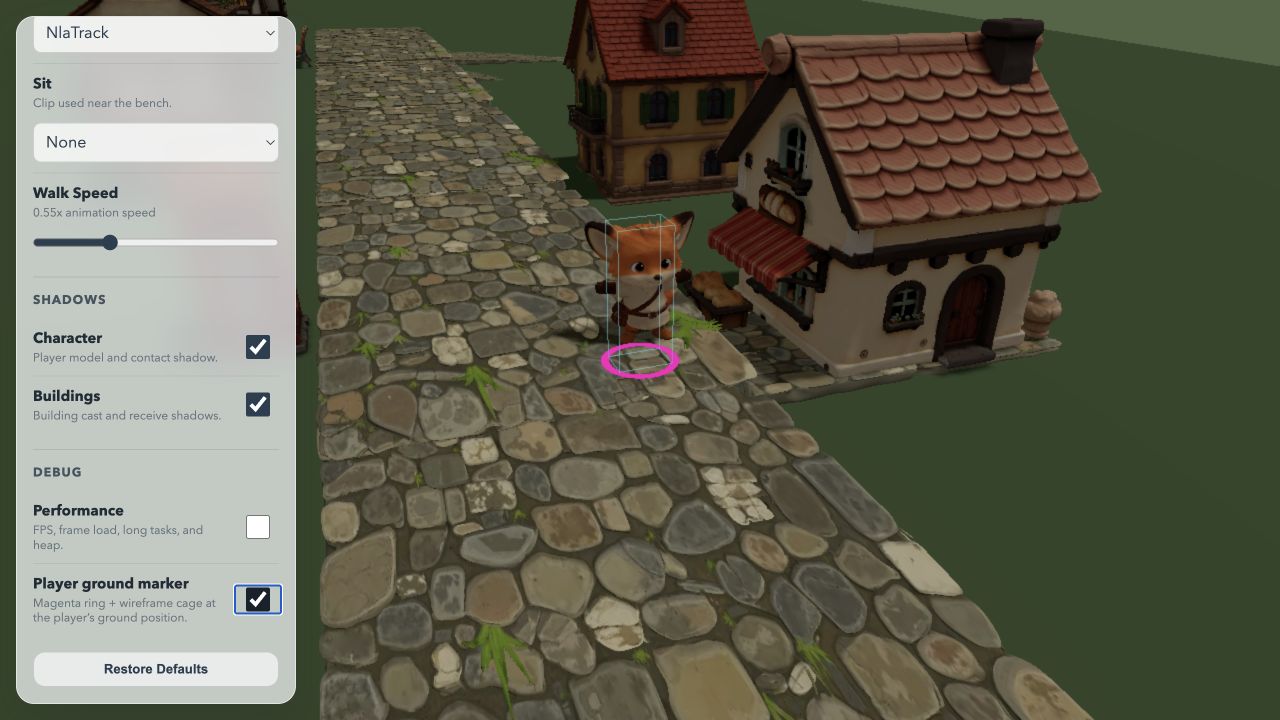
Collision also had to match the visual world without blindly copying it. The scene uses oriented bounds because buildings can rotate. A model’s visible overhang does not have to become an unfair physical wall, and soft decor can remain passable while a small animal can be explicitly blocking. The player is pushed out of overlap with a small epsilon so the same collider does not jitter on the next frame.
Assets Turned Scene Composition Into a Pipeline
Once the road acquired cobblestone, buildings, vegetation, shadows, and a character, the work changed again. Every imported GLB had a scale, origin, material cost, bounding box, visual silhouette, loading cost, and collision implication. A 3D asset is not merely an image that happens to be placed in space.
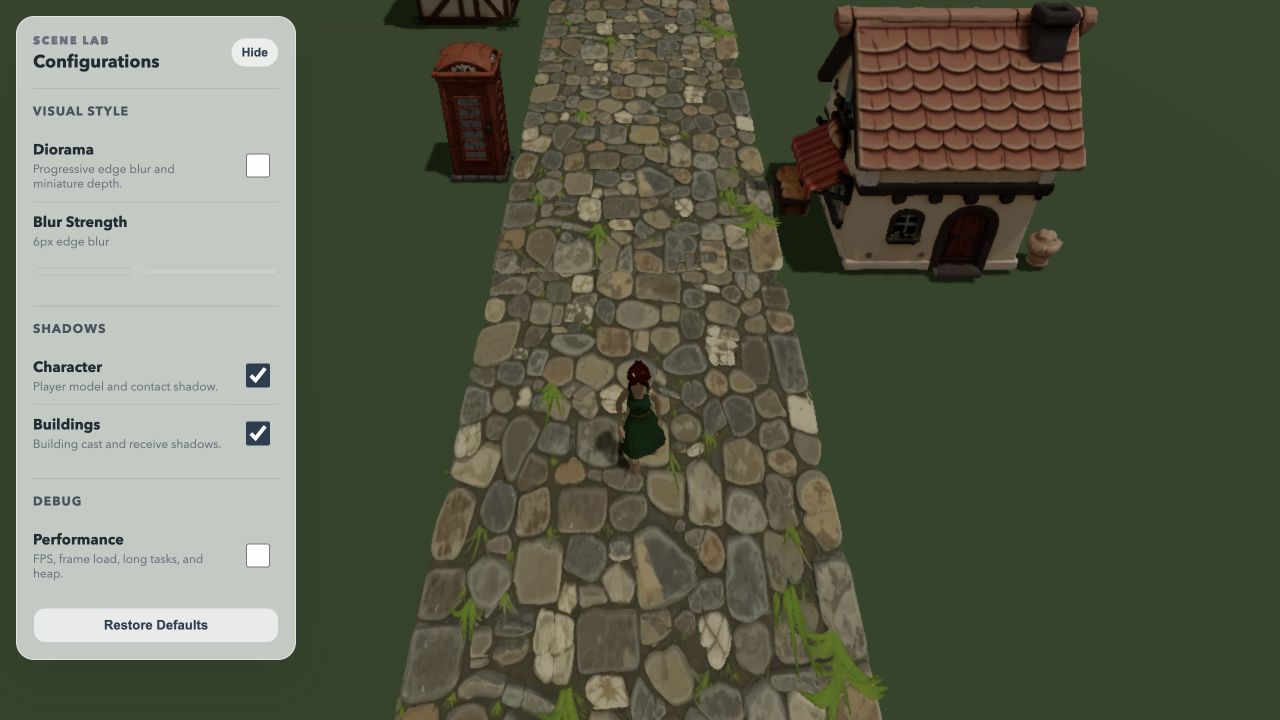
I built Scene Lab so that camera placement, diorama blur, model transforms, shadow settings, bounds, grounding, and asset placement could be inspected in the running scene rather than through repeated source edits and refreshes. It became a way to learn how composition and rendering parameters interact in Three.js: moving the camera changes what feels important; changing a shadow may improve depth while adding render cost; moving a model may require its collider and ground contact to change too.
The asset pipeline reflects that distinction. Source and experimental models stay separate from runtime assets. Runtime GLBs are checked against size budgets and validated before they are shipped; the optimisation path uses texture caps, geometry simplification, tangent generation, and Meshopt compression. I learned that visual ambition needs an asset policy, especially once the scene has to load and render on a phone.
Foxy Exposed the Difference Between a Transform and a Character
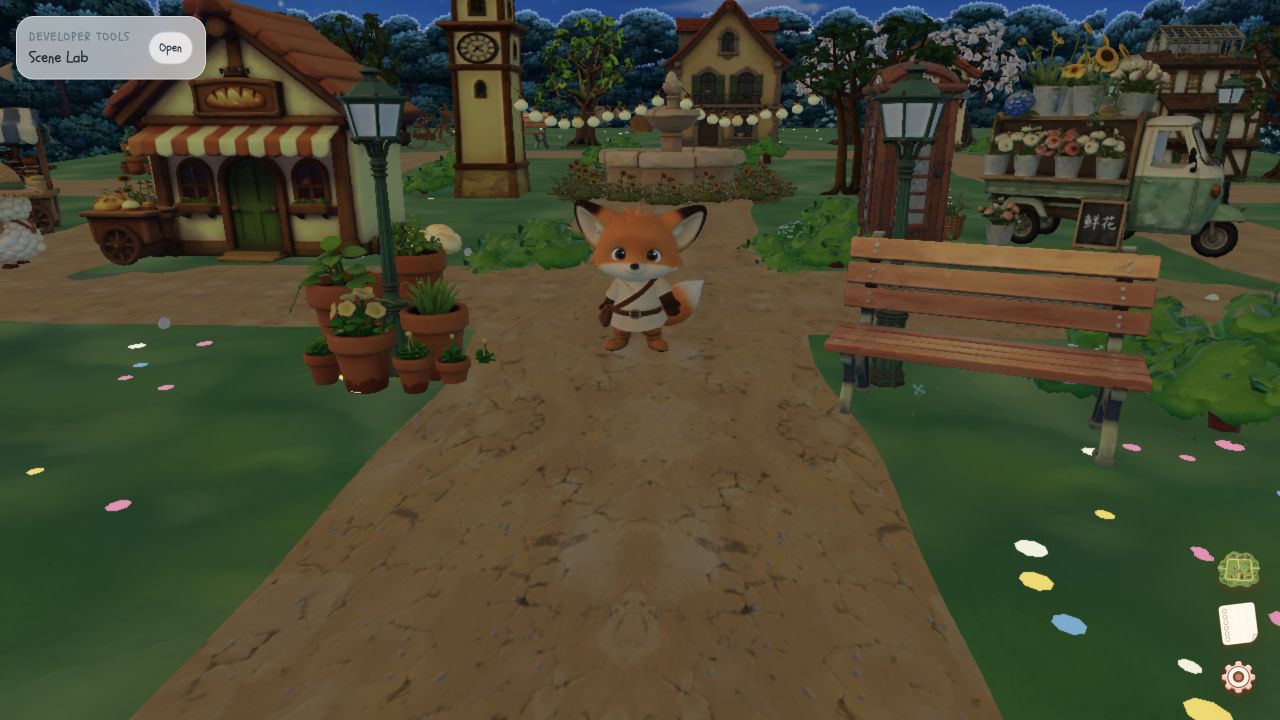
Replacing the black block with Foxy made every shortcut visible. A block only needs a position. Foxy has visible feet, a facing direction, an idle clip, a walk clip, a body scale, and an animation whose apparent movement can disagree with actual velocity.
That meant several values had to agree: the player’s transform, the ground-height function, the model bounds, the collision footprint, the direction of movement, and the selected animation clip. If Foxy’s feet floated while the ground calculation was technically correct, the scene still looked wrong. If the model stopped while its animation continued, the world felt broken even if the position was unchanged.
The movement system separates physical movement from presentation state. Collision and position reporting use the exact per-frame movement result. Animation and footsteps use a semantic activity state with a short 120 ms idle grace period. That avoids React, animation-action, and audio churn during rapid directional input while preserving the real movement mechanics. It was a concrete lesson in keeping frame-loop facts and UI-facing state from becoming the same thing.
A Village Changed Navigation From One Axis to a Topology Problem
A linear road is easy to understand. The visitor can move forward or backward along a largely visible route, and the camera can communicate most of the world from one position. Once I expanded the scene across both the X and Z axes, that stopped being true.
Curved roads, side paths, buildings, trees, props, and interior destinations made the world more interesting, but they also made it harder to infer where anything was. The same X/Z coordinates now had to support walking, camera composition, collision, named destinations, direct travel, and map rendering. A visitor could arrive at a building from several directions, lose sight of a landmark behind a structure, or not know whether a road led to portfolio content or decoration.
The map was not a miniature screenshot of the village. It became a second representation of the same world: the Canvas carries atmosphere, depth, and discovery; the map carries topology. It projects world positions into stable map coordinates and keeps only the routes, destination markers, and labels needed for a decision. That created new problems of its own—label crowding, responsive map layout, direct travel, camera state, and keeping map destinations in sync with the scene’s configuration.
The first map used direct relocation. Later travel made those non-local jumps legible as camera and sky-drop phases rather than pretending that nothing had happened between two distant places. Both the map and the live village can be explored at 3d.sakshikale.com.
React State Cannot Own Every Frame of a Three.js Scene
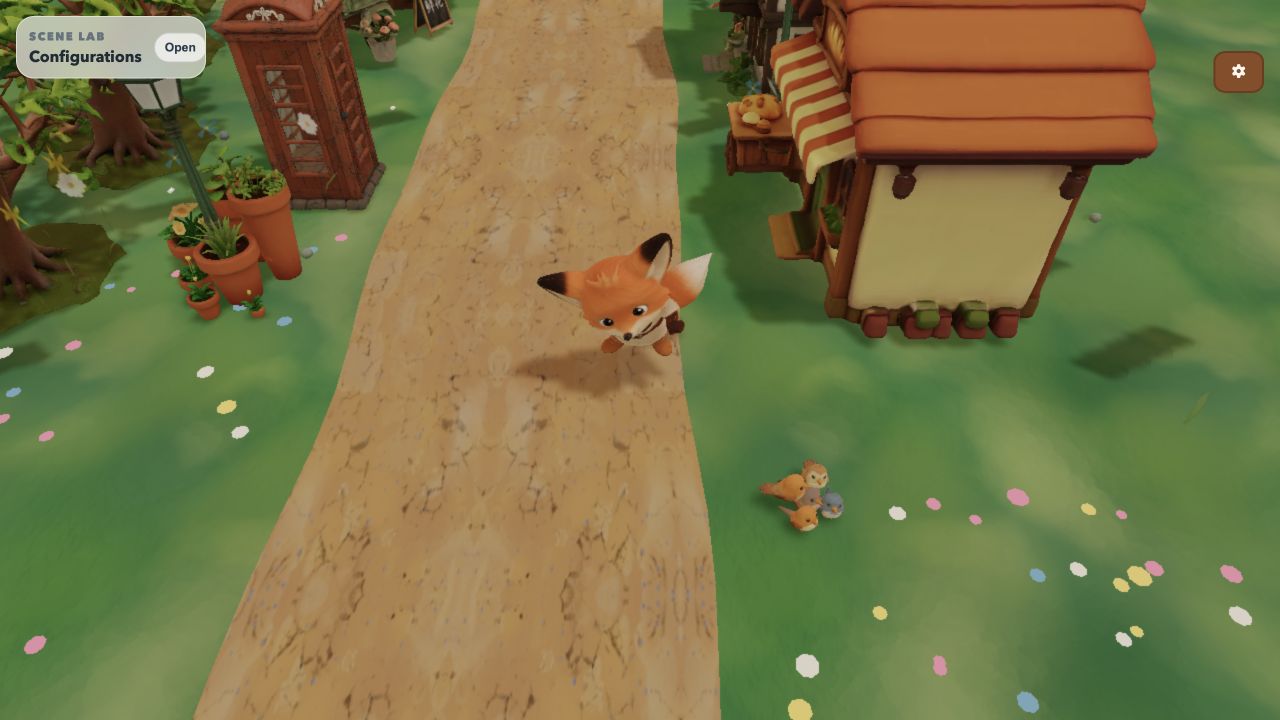
One of the most useful lessons from this project was learning where React should stop. The app uses React for composition, overlays, content panels, and state transitions; it does not make React responsible for every locomotion update or camera frame.
The expensive Canvas boundary is memoized so that opening an HTML prompt or panel does not reconcile the 3D scene. Input channels—keyboard, touch joystick, and external test input—are merged into revisioned snapshots that the locomotion loop consumes atomically. Cinematic camera travel uses a frame-loop mailbox rather than app-shell React state, so starting a sequence does not re-render the Canvas mid-walk.
The render path has similar boundaries. Static model subtrees can freeze their local matrices instead of recomputing transforms every frame. Shadow maps update on demand when the player moves or lighting changes. A cinematic can temporarily lower device pixel ratio while camera motion hides the trade-off, then restore it after the camera settles. None of these are isolated “performance tricks”; they are decisions about what changes, how often, and where that change should live.
A Beautiful Scene Still Needs Observability
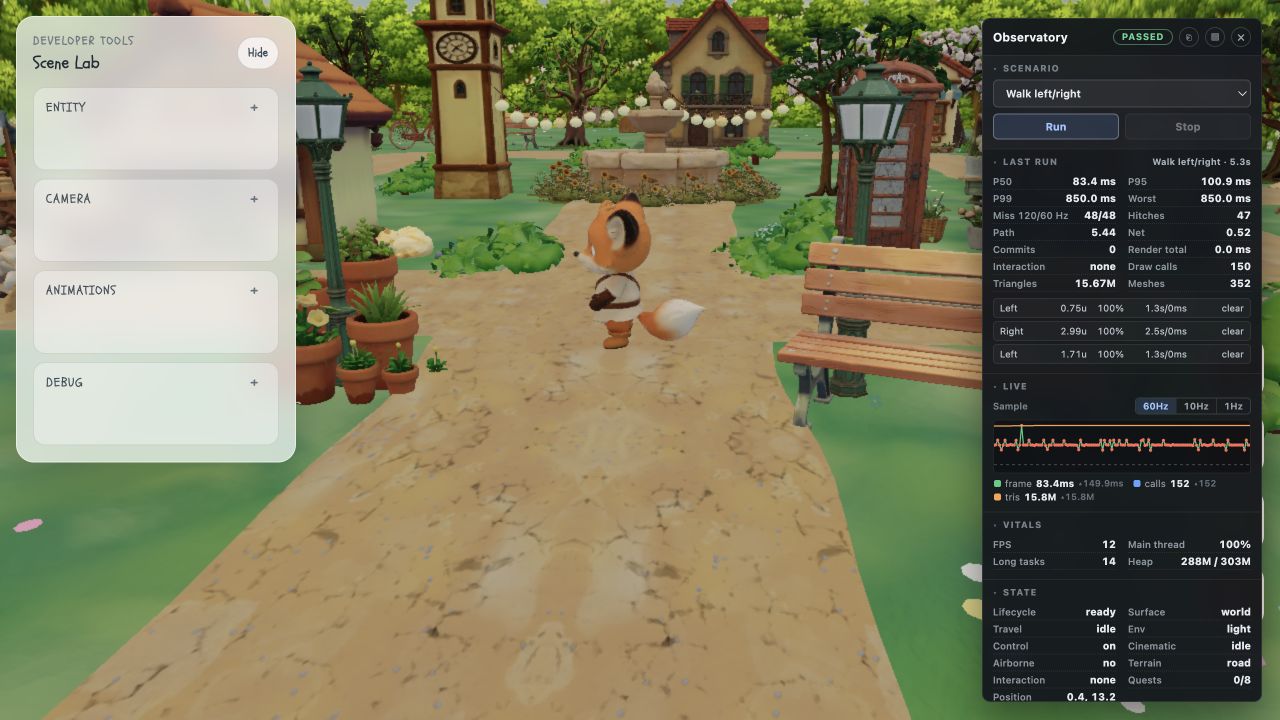
As the village became more detailed, visual inspection stopped being enough. A hitch could come from a React commit, a texture upload, an environment change, a shadow pass, a browser visibility event, or the debugging UI itself. “It feels janky” is not a diagnosis.
That is why I built the Observatory and the scenario-based Test Kit. The project can run declared Walk, Smoke, Loop, collision, prompt-isolation, rapid-input, idle, and environment-switch scenarios. Each scenario has a starting policy, workload, expected result, and a bounded measurement window. It records frame-time percentiles, renderer information, app state, input revisions, physical movement, presentation transitions, and scoped React work.
The point is not to collect metrics for their own sake. It is to connect a rendering event to the state of the application. A rapid-input workload, for example, issues 80 direction transitions over 375 frames and verifies that commands were consumed, physical transitions occurred, and presentation revisions were represented. A faster result is not useful if it silently dropped part of the workload.
The next part of the project was making those debugging tools useful to AI-assisted development as well as to a human investigator: Building an AI-Ready Debugging System for a Three.js Village.
Mobile Made the Canvas a Browser Runtime Problem
Making the village responsive was not a matter of shrinking the Canvas. Phones change input, camera composition, GPU budget, texture and geometry pressure, tab lifecycle, and browser process behaviour.
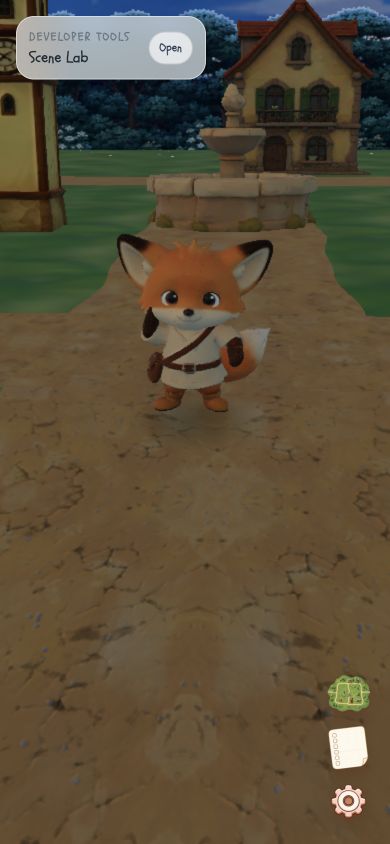
The project keeps the Canvas mounted across content transitions so that entering and leaving a portfolio section does not rebuild the world. It uses mobile-specific assets and a selective rendering policy to protect memory and frame time without removing the landmarks that make the village recognisable. It also tests repeated navigation and stress workflows in Chrome and native Mobile Safari, because a narrow desktop viewport cannot prove how WebKit will behave over a real session.
This was another lesson that only arrived by building something concrete: a 3D page is not finished because it renders once. It has to retain the right world state, manage GPU work, survive browser lifecycle changes, and remain understandable through touch input and a smaller composition.
What Building the Village Taught Me About Three.js
The village is my way of learning Three.js through constraints that matter. I learned Canvas by having to place a portfolio in world space. I learned movement by making a player, camera, bounds, and colliders agree. I learned scene composition by importing assets that changed scale, shadows, and rendering cost. I learned that navigation in 3D needs its own information architecture, and that performance needs evidence rather than a feeling.
The project is still a portfolio, but the process gave it a more useful purpose: it became a place to learn how a real-time 3D web experience is assembled and maintained. Explore the current version at 3d.sakshikale.com.